

Click an attachment's name and it opens in a popup on the page. Images, PDFs and text appear immediately; everything else downloads exactly as it did before. It saves the download-open-delete cycle that every screenshot on every ticket otherwise costs.
On RedminePRO Cloud
Availability
Every plan.
Turn it on
Nothing to turn on. It applies wherever attachments already appear, for everyone who can already see them.
Permissions
None of its own. An attachment is previewable exactly when the reader may download it. The popup is a way of looking at a file, not a way of reaching one.
Settings
Administration → Plugins → RedminePRO Preview:
| Setting | Default | Effect |
|---|---|---|
Extended text formats |
On | Adds rendered markdown, comma-separated values as a table, and plain log, structured-data and configuration text to the basic plain-text support |
Text preview size cap |
1 | Megabytes. Larger text files are shown truncated with a notice; download for the whole file |
Disabled extensions |
Blank | A comma-separated list of extensions to leave as an ordinary download |
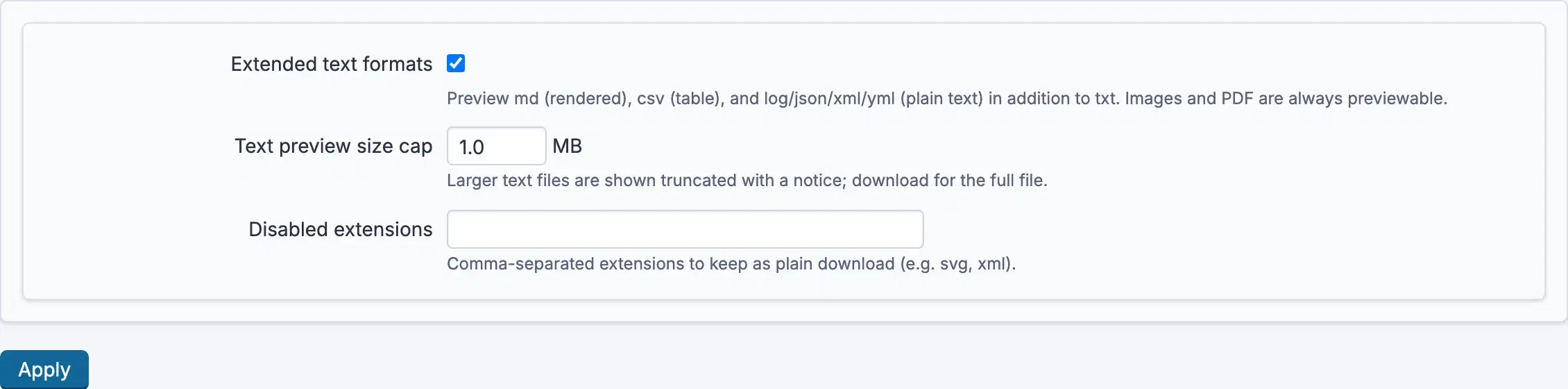
Disabled extensions is the escape hatch when a file type is better downloaded
than skimmed in your workspace.
Using it
- Click an attachment's name anywhere it appears.
- Images, PDFs and text open in the popup. A PDF uses the browser's own viewer inside it.
- With several attachments, step between them without closing. A counter shows where you are.
Download attachmentsaves the file as normal.- Anything not previewable, archives, programs, office documents, downloads exactly as it always did. Nothing about existing behaviour changes.
Vector images and web pages are shown as escaped text, never rendered. Both can carry active content, and rendering somebody's uploaded file inside your workspace is a way to run their code in your reader's browser. They are readable here, just not executed.
Troubleshooting
An attachment downloads instead of opening. Its type is not previewable, or
its extension is listed in Disabled extensions.
A text file is cut short. It is larger than Text preview size cap. The
notice says so; download it for the whole file. Raise the cap if your workspace
routinely attaches bigger text.
Markdown or a spreadsheet shows as plain text. Extended text formats is
off. Turn it on for rendered markdown and tabular files.
A vector image shows as code rather than a picture. That is deliberate and not configurable. Download it to view it in a viewer of your choosing.
A large spreadsheet shows only the beginning. Only the first several hundred rows are tabulated. Download it for the rest.