

Click an attachment and it opens in a popup, images, PDFs and text, without the download-to-look cycle.
Documented for version 1.0.0 · Verified against 932d12e
Click an attachment's name and it opens in a popup on the page. Images, PDFs and text appear immediately; everything else downloads exactly as it did before. It saves the download-open-delete cycle that every screenshot on every ticket otherwise costs.
Disabled extensions is the escape hatch when a file type is better downloaded than skimmed in your workspace.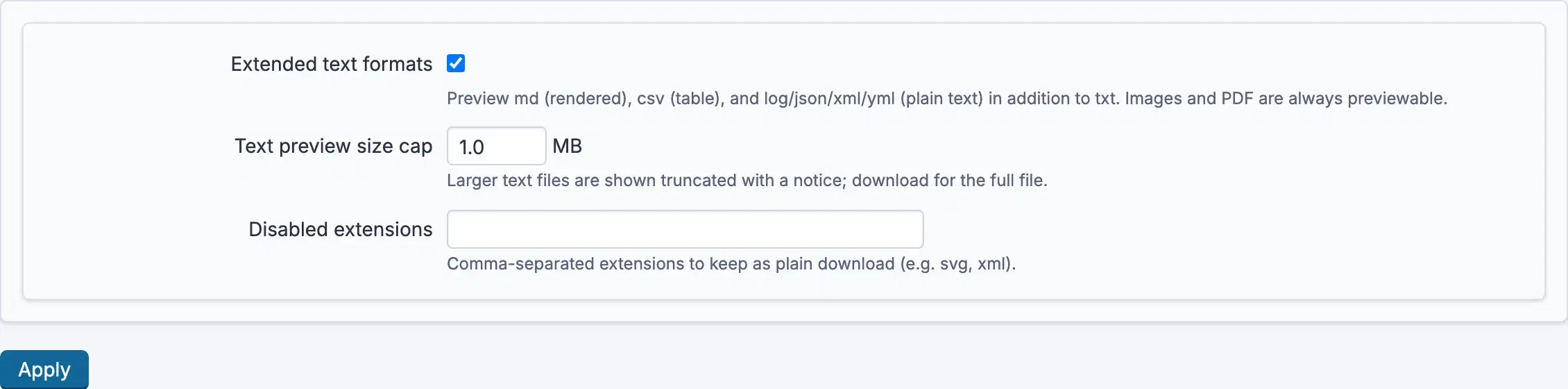
Settings, permissions, modules and how to use it on RedminePRO Cloud.
Requirements, install, update and remove, for a self-hosted Redmine 6.
Its type is not previewable, or its extension is listed in Disabled extensions.
It is larger than Text preview size cap. The notice says so; download it for the whole file. Raise the cap if your workspace routinely attaches bigger text.
Extended text formats is off. Turn it on for rendered markdown and tabular files.