

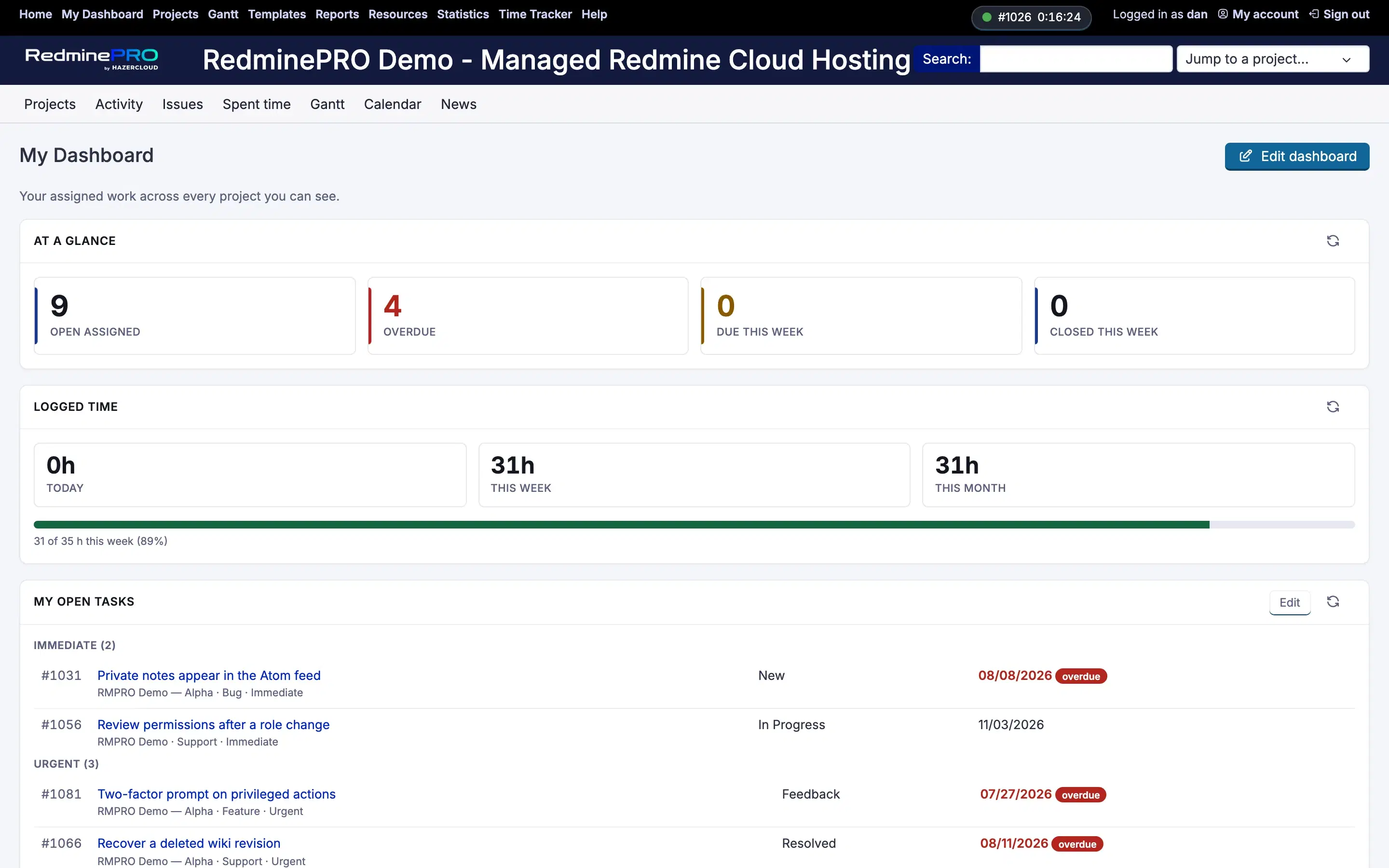
One page answering "what am I meant to be doing?". Open assignments, what you reported, what is due soon, how your workload spreads across projects, and how much time you have logged. Widgets are chosen and arranged by each person, and everything on it respects the same visibility rules as the rest of the workspace, so a dashboard never shows an issue its owner could not otherwise open.
On RedminePRO Cloud
Availability
Every plan.
Turn it on
Available to everyone signed in, by default. My Dashboard appears in the top
menu.
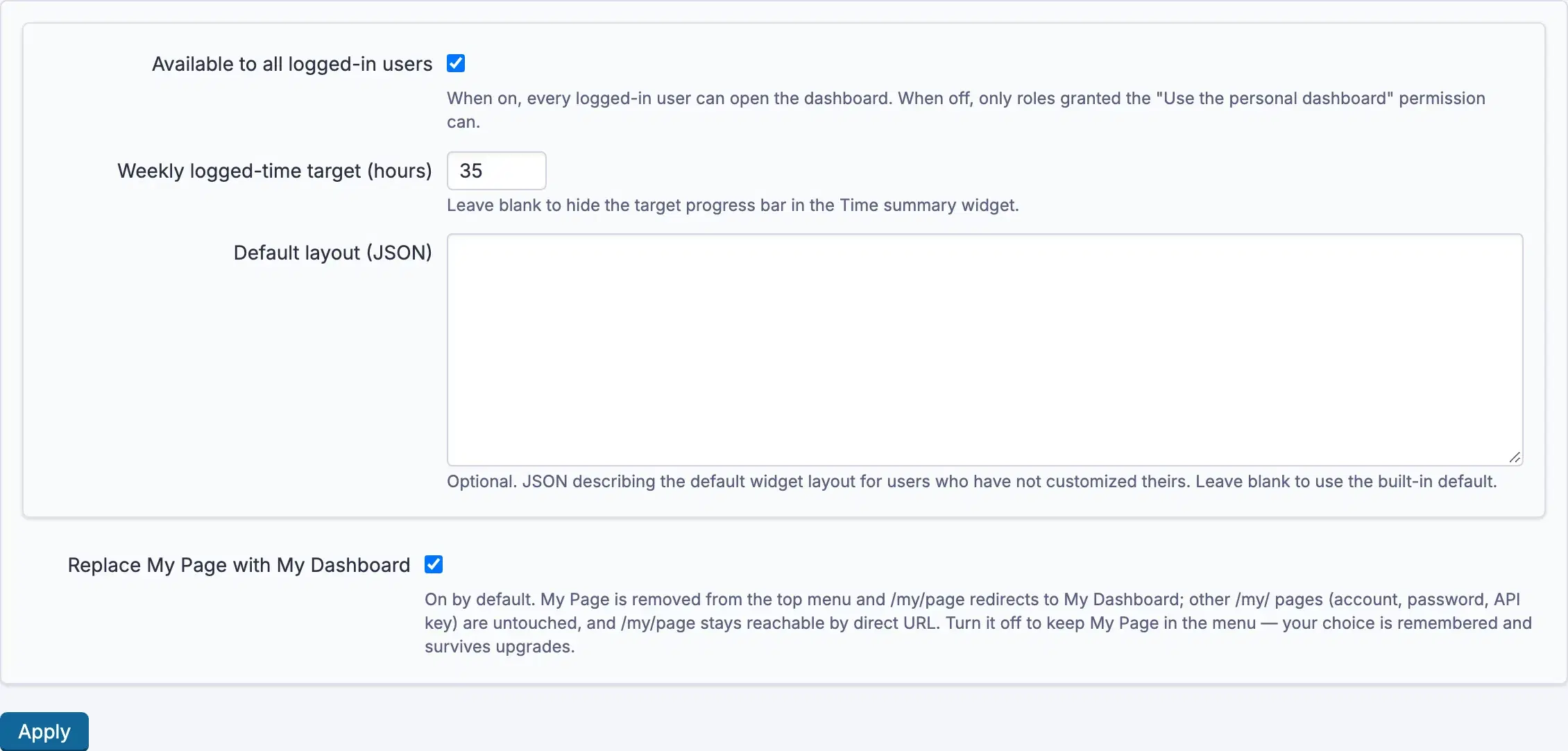
If you would rather grant it deliberately, untick Available to all logged-in users in the settings below and grant the permission instead.
Permissions
Administration → Roles and permissions, in the My Dashboard section:
| Permission | What it grants |
|---|---|
Use the personal dashboard |
Open My Dashboard |
It only matters when Available to all logged-in users is off. While that is
on, the permission is not consulted.
Settings
Administration → Plugins → RedminePRO My Dashboard:
| Setting | Default | Effect |
|---|---|---|
Available to all logged-in users |
On | On means everyone signed in may use it; off falls back to the permission |
Weekly logged-time target (hours) |
Blank | Gives the logged-time widget something to measure against. Blank shows the total with no target |
Default layout (JSON) |
Blank | The arrangement new people start with. Blank uses the built-in default |
Using it
- Open
My Dashboardfrom the top menu. Edit dashboardturns on arranging. ChooseColumns,Showthe widgets you want, and drag them where you like.Save layoutkeeps it;Reset to defaultreturns to the starting arrangement;Doneleaves editing.Refreshre-reads a widget, andView allopens the full list behind it.
The widgets are At a glance, My open tasks, My reported issues,
Upcoming due dates (14 days), Workload by project,
Assigned burndown (30 days), Completed per week (8 weeks),
Priority distribution, Logged time and Recent activity.
Other RedminePRO features add their own. With Reports in the workspace, a saved report widget appears alongside them showing the report you last ran. Its labels belong to Reports, so they are documented on that page.
A layout is personal. Yours is not anybody else's, and changing the default layout does not rearrange dashboards people have already saved.
Troubleshooting
No My Dashboard in the top menu. Available to all logged-in users is off
and the account lacks Use the personal dashboard.
A widget is empty. It is showing what you can see, which may genuinely be nothing. No open assignments, or nothing due in the next fortnight. Visibility is never widened to fill a widget.
The logged-time widget shows no target. Weekly logged-time target (hours)
is blank. Set it to compare against something.
My layout came back after I changed it. Save layout commits an
arrangement; leaving edit mode with Done alone does not.
Everyone should start with a different arrangement. Set
Default layout (JSON). It applies to people who have not saved a layout of
their own. Existing dashboards are left alone deliberately.