

A heatmap of who is committed to what, week by week, built from the work already assigned to them, its estimates, and the leave they have recorded. The question it answers is "can this team take on that?", before the sprint starts rather than after it slips.
On RedminePRO Cloud
Availability
Business and above.
Turn it on
Per project: Project → Settings → Modules → tick Resources. A Resources
entry then appears in the project menu, and there is a cross-project view for
planning across teams.
Permissions
Administration → Roles and permissions, in the Resources section:
| Permission | What it grants |
|---|---|
Manage resource planning |
Set capacities, record leave for other people, and see the planning views |
It is a global capability, because planning is a cross-project question. A person's week does not divide itself by project.
Settings
Administration → Plugins → RedminePRO Resources:
| Setting | Default | Effect |
|---|---|---|
Default weekly capacity (hours) |
40 | What a full week means for someone with no capacity of their own |
Hours assumed for an unestimated issue |
4 | Applied to assigned open issues with no estimate |
Default window (weeks) |
8 | How far ahead the views look to begin with |
Over-utilization above (%) |
100 | Above this a week is shown as over-committed |
Under-utilization below (%) |
50 | Below this a week is shown as under-committed |
Users may record their own leave |
Off | On lets people enter their own leave instead of asking a planner |
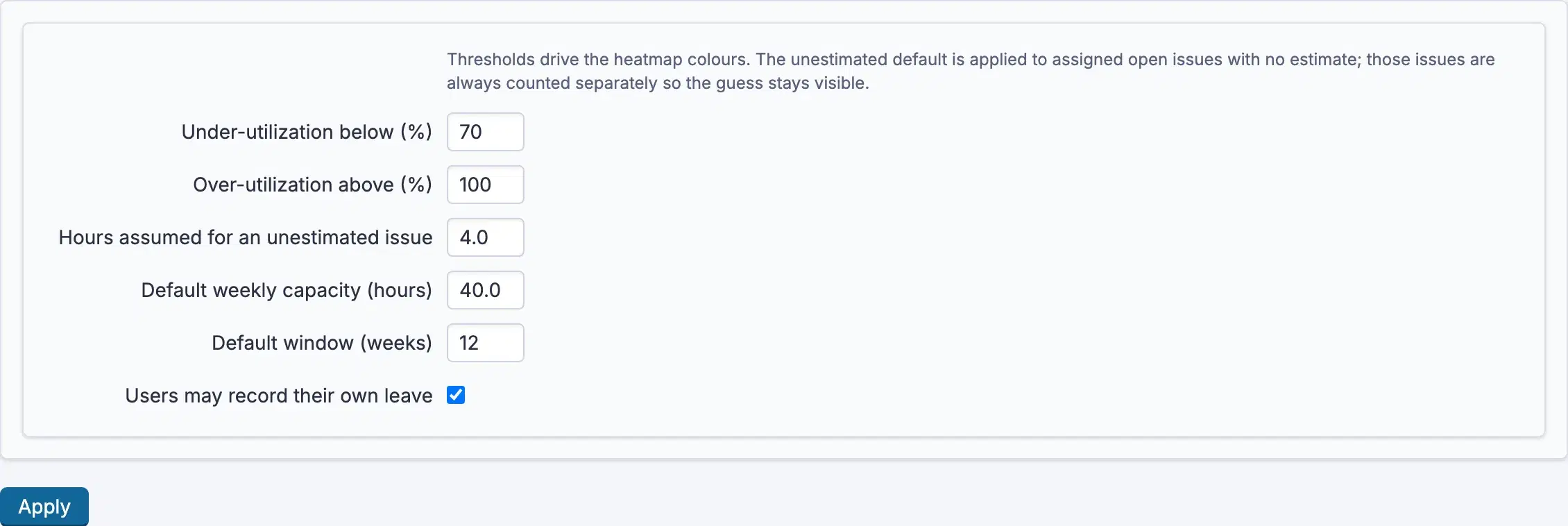
The two thresholds drive the heatmap's colours; set them to the numbers your organisation actually plans against.
The unestimated guess stays visible. Work with no estimate is counted using the assumed figure, but is always shown separately, so you can tell a plan built on estimates from one built on assumptions.
Using it
- Open
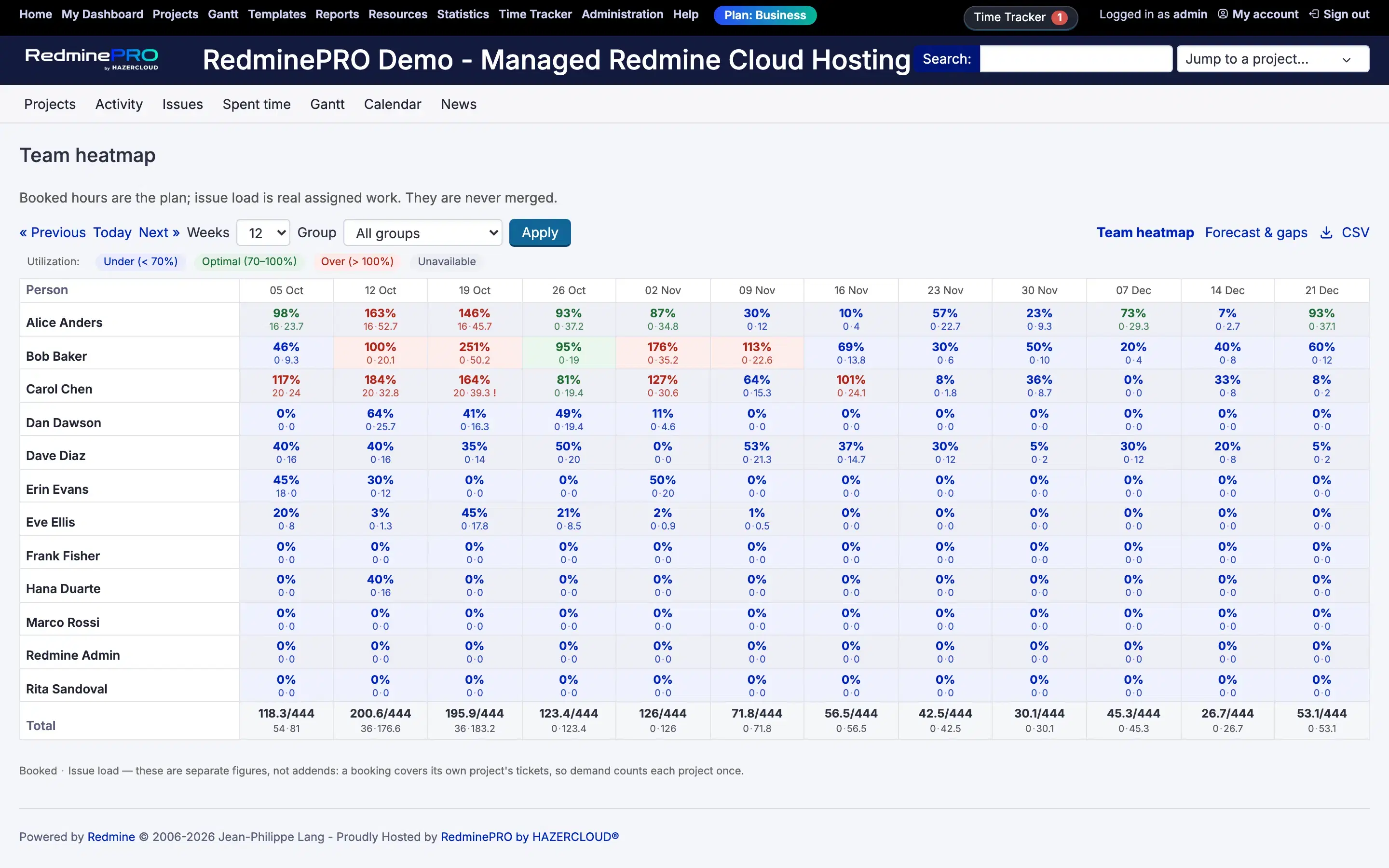
Resourcesin a project, or the cross-project view for a whole team. - Read the heatmap: each person by week, coloured by how committed they are against their capacity.
- Set capacities where somebody is part-time or splits their week.
- Record leave so a holiday reduces that week's capacity rather than quietly overloading it.
- Widen or narrow the window to plan further ahead.
Demand is an envelope, not a sum: a booking absorbs ticket work in the same project rather than adding to it, so a planned commitment and the tickets that deliver it are never counted twice.
Troubleshooting
Somebody's week looks far too full. Check for assigned open issues with no
estimate. Each is counted at Hours assumed for an unestimated issue, and a
backlog of unestimated tickets inflates a week quickly. The unestimated portion
is shown separately so you can see how much of the total is a guess.
Somebody's week looks empty and should not. Work counts when it is assigned to them and open. Unassigned work belongs to nobody and cannot appear.
A holiday is not reducing capacity. The leave is not recorded, or was
recorded against a different period. Turn on Users may record their own leave
if asking a planner every time is the bottleneck.
Everyone shows as over-committed. Over-utilization above (%) is a
percentage of capacity, and the default assumes a full week means
Default weekly capacity (hours). If your working week is shorter, set the
capacity before adjusting the threshold.
The numbers differ from a time report. They are different questions. This shows committed work ahead; a time report shows hours recorded behind.