

Save a report built from Redmine's own filters and columns, re-run it any time, and export or email it as PDF, Excel or CSV.
Documented for version 1.0.0 · Verified against 47b7551
Redmine already has a good query builder, on the Issues page, the Spent time
page and the Projects page. What it has no way to do is keep one as a named
report you re-run on the first of the month, hand to somebody as a branded PDF,
or have arrive by email every Monday. Reports does that by reusing those three
builders rather than inventing a fourth: the filter row here is the filter row
from the Issues page, so a relative date like "this month" means the month you
press Run in.
Scheduled delivery is off until you switch it on, so adding Reports to a workspace never starts sending mail to anybody.Reports in the top menu → New report, then pick the data: Issues, Spent time or Projects.Template.Scheduled delivery switched on, a report can carry a schedule, Weekly on a weekday or Monthly on a day of the month, at an hour, delivering the PDF and the Excel file to people and groups you name.Saved report widget shows the report you last ran, its totals, its first ten rows, and a link to run it in full.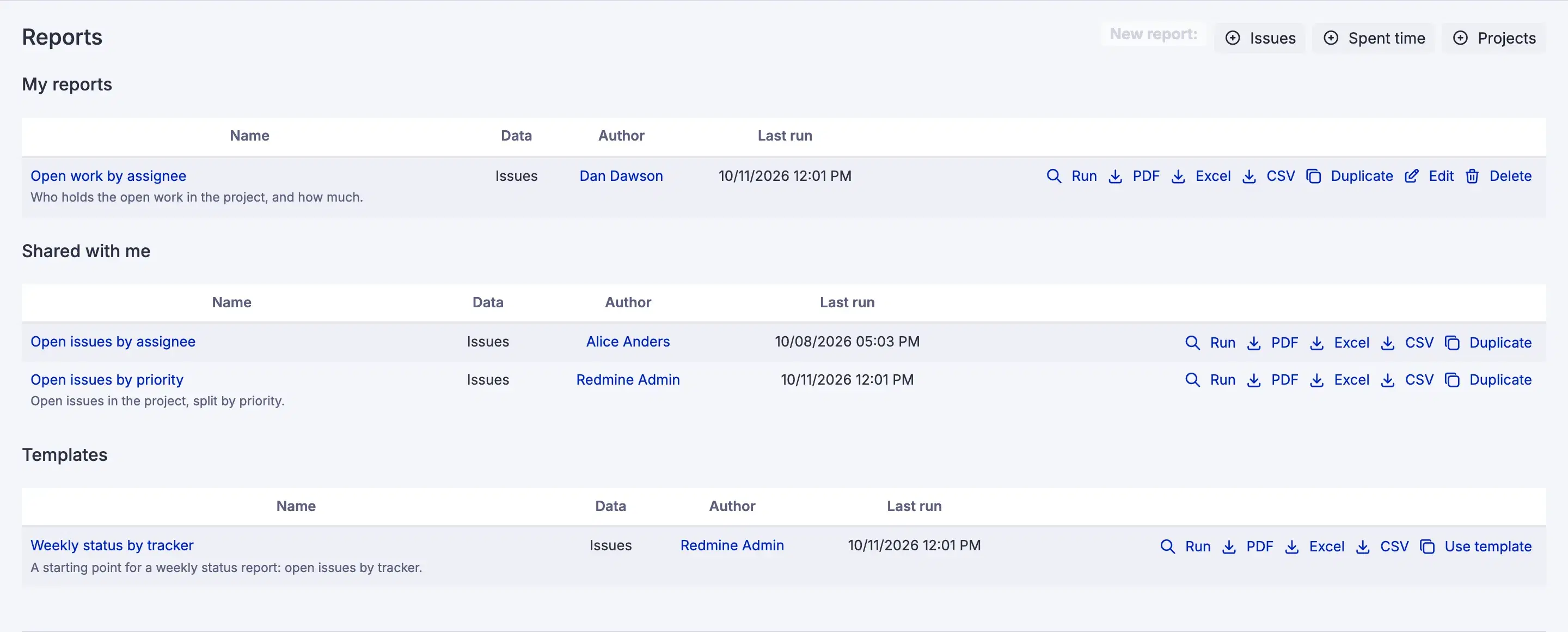
Settings, permissions, modules and how to use it on RedminePRO Cloud.
Requirements, install, update and remove, for a self-hosted Redmine 6.
The account holds Use reports in no role.
The workspace is below Business. The page names the plan it needs rather than hiding the feature.
That is correct. A report shows each reader what that reader may see; compare the two counts printed on the page.