

Start a project from a template that brings its structure, starter issues, members, and Auto Assign, Checklists, Agile and Banner settings with it.
Documented for version 2.2.0 · Verified against 9df6d46
Every new client onboarding, every new release, every new audit, the same
shape, rebuilt by hand each time. A template captures that shape once: the
Structure, the Starter issues with dates relative to a start day you choose,
the Members, and the project's Auto Assign, Checklists, Agile and Banner
settings. New projects start from the gallery instead of from an empty form.
A template is a stored definition, not a live project. Everything in it is
recorded by name, so it keeps working after the project it came from is
renamed, archived or deleted. It also carries less than Redmine's Copy does.
See What a template does not carry below.
Create project, or Create subprojects for a subproject.New project.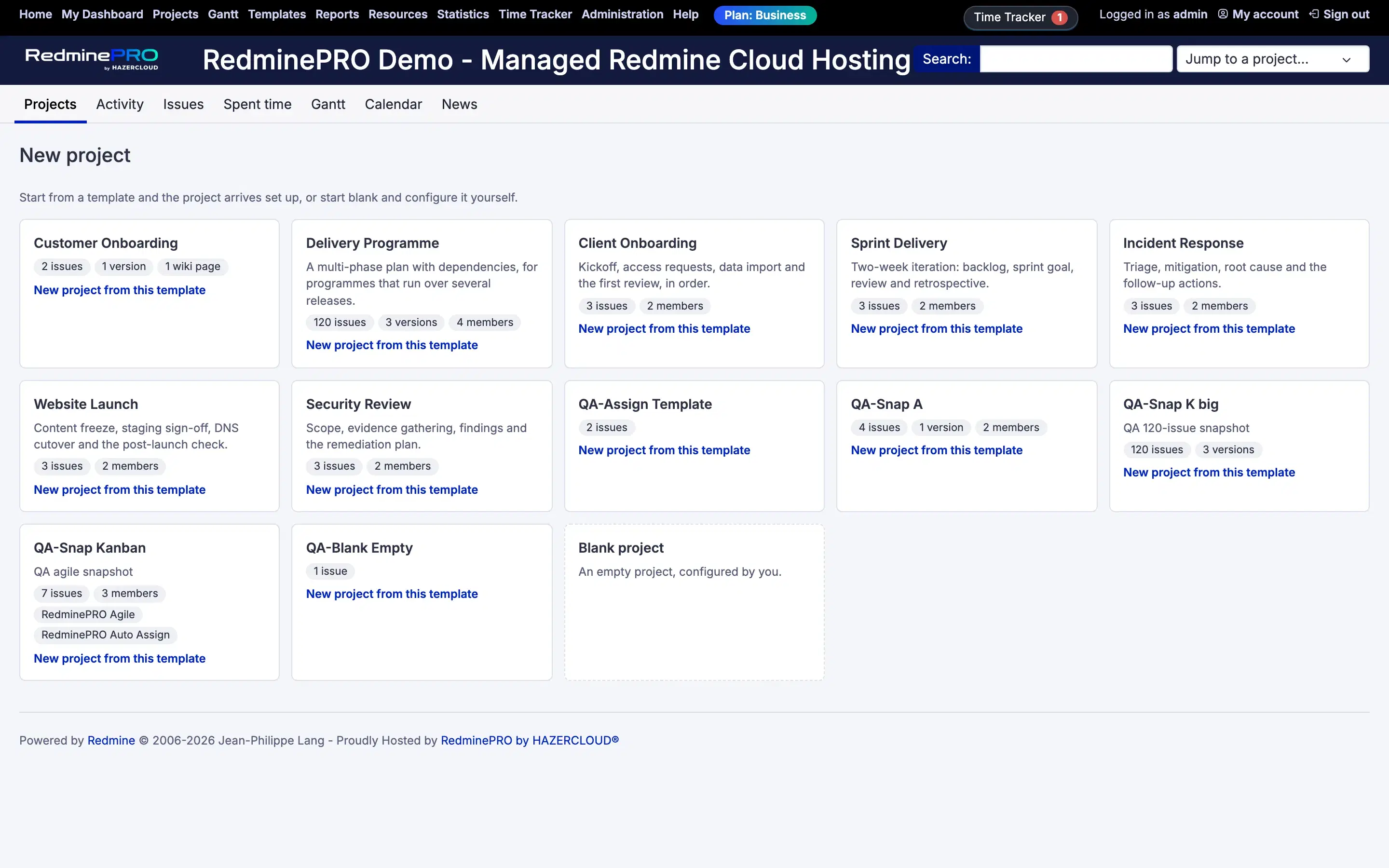
Settings, permissions, modules and how to use it on RedminePRO Cloud.
Requirements, install, update and remove, for a self-hosted Redmine 6.
Either the account lacks Create projects from templates, or it holds neither Create project nor Create subprojects, or there is no template that can be used yet. A link that fills in the new-project form in advance also opens that form directly.
There is no per-template restriction: every template is offered to everyone who may use the gallery. A template that cannot be used is still shown, as a card that says why, Cannot be used: its definition cannot be read. or Cannot be used: it was written by a newer version of the plugin., and whoever manages templates can delete it from the template list.
Only open issues are ever captured, and only those visible to whoever saved the template. Of the rest, an issue is skipped when its tracker was deleted or is not enabled in the template, or when Redmine refuses it, most often because your role's workflow, or a required custom field, needs a value the template does not give. The summary names each one and the reason, as far as it has room (see below). A missing status never costs an issue; a missing person, version or category costs one only where your role's workflow requires that field on a new issue. The form lists the issues your role's workflow would refuse above Create, before anything is made.