

Redmine's role setting for issue visibility offers three choices, and the
narrowest means author or current assignee, nothing else. So the moment you
hand a ticket to a colleague it disappears from your view, including the
comments you wrote on it. This adds a fourth choice where involvement counts:
Issues the user is or has been involved in. Handovers, reviews and "I fixed
this last month" stop breaking.
On RedminePRO Cloud
Availability
Every plan.
Turn it on
Per role. Administration → Roles and permissions → a role → Issues visibility
→ Issues the user is or has been involved in. Roles you do not change behave
exactly as before.
Permissions
None of its own. It adds an option to a setting Redmine already has, rather than a new right, so there is no role-form section and nothing to grant.
Settings
Administration → Plugins → RedminePRO Visibility Role:
| Setting | Default | Effect |
|---|---|---|
Count as involvement |
All five ticked | Which relationships make a person count as involved |
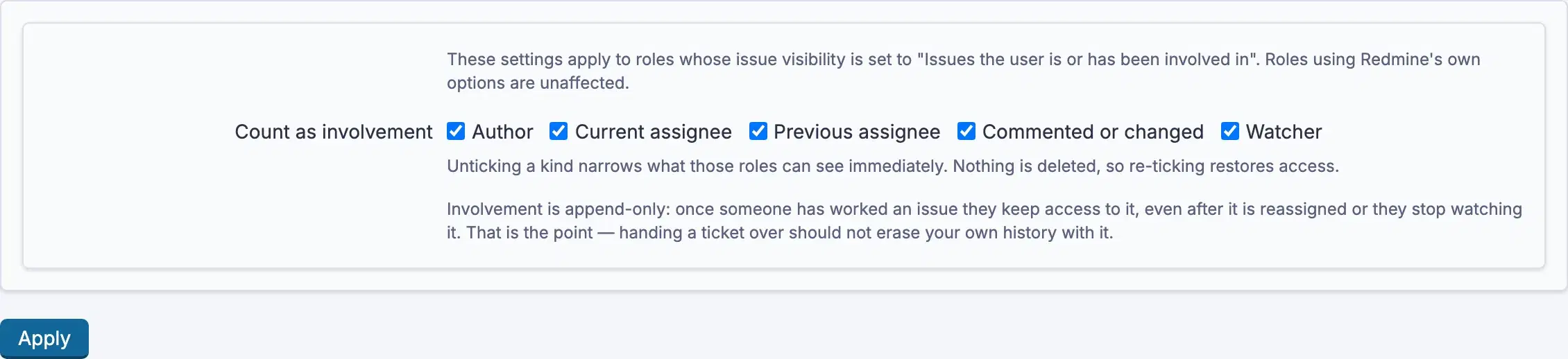
The five are Author, Current assignee, Previous assignee,
Commented or changed and Watcher. Untick one and it stops granting access,
immediately, for everyone on a role using this option, so change it deliberately.
Current assignee includes assignment through a group.
Using it
- Decide which relationships should count, in the setting above.
- Set
Issues visibilityto the new option on the roles that need it. - Nothing else. People on those roles now keep seeing issues they authored, held, commented on or watched, wherever they still hold that role.
This widens visibility where it applies, so treat it as a permissions change: review which roles you set it on, and untick relationships you do not want to grant on.
Troubleshooting
The option is not in the list. The feature is not installed, or Redmine was not restarted after installing it.
Someone still cannot see an issue they commented on. Check that
Commented or changed is ticked in the setting, and that they still hold a role
with this visibility option in that project. Involvement grants access through a
role; it does not survive losing the role.
Someone sees more than expected. That is what the option does. Narrow it by
unticking relationships, Watcher and Previous assignee are the two that
most often widen it further than intended.
Nothing changed after ticking a relationship. The change applies to roles using the new visibility option only. A role on one of Redmine's three original choices is unaffected.