

One email a day, per person, about their own work: what is Overdue, what is
Due today, what is Due soon, what has been Newly assigned to you, and the
recent Changes on your issues. It replaces the habit of checking a filter
every morning, and it is quiet by nature. Someone with nothing outstanding is
not emailed at all.
On RedminePRO Cloud
Availability
Every plan.
Turn it on
Nothing per project. Administration → Plugins → RedminePRO Daily Digest, and
tick Send daily digests. Each person then chooses whether they want one, under
Daily digest in their own account preferences.
Permissions
None of its own. A digest contains only work that belongs to the person receiving it, and only issues they can already see, so there is nothing to grant and no way to configure one person's digest to include another's work.
Settings
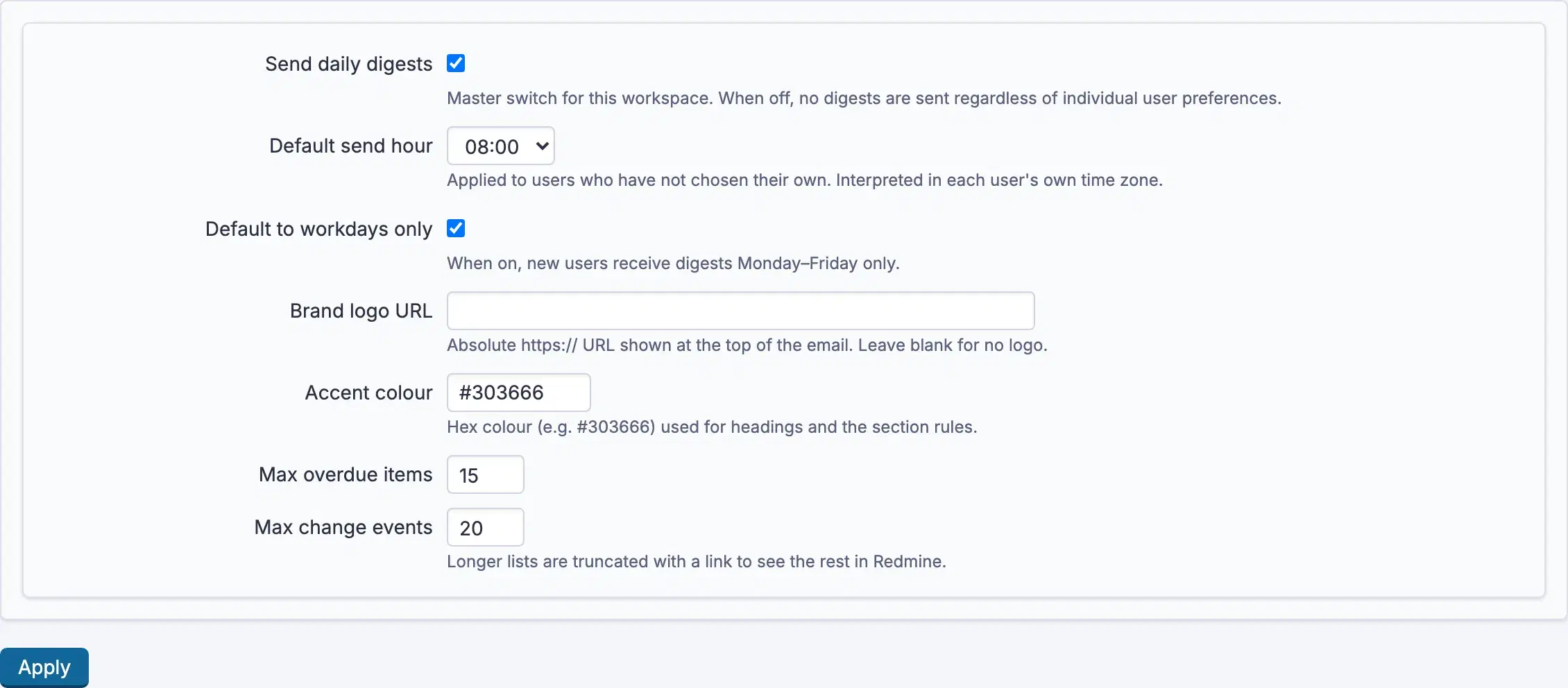
Administration → Plugins → RedminePRO Daily Digest:
| Setting | Default | Effect |
|---|---|---|
Send daily digests |
On | The master switch. Off means nothing is sent, whatever anyone has chosen |
Default send hour |
8 | Applied to people who have not picked their own. Read in each person's own time zone |
Default to workdays only |
On | New accounts receive digests Monday to Friday |
Max overdue items |
20 | Longer lists are truncated with a link to see the rest |
Max change events |
20 | The same, for the changes section |
Accent colour |
Set | The colour used for headings and section rules |
Brand logo URL |
Blank | An image shown at the top of the email. Blank means no logo |
Using it
Each person controls their own, in their account preferences under
Daily digest:
Email me a daily digestturns it on for them.Send atpicks the hour, in their time zone rather than the workspace's.Workdays only (Mon–Fri)skips weekends.
A digest with nothing to report is not sent. That is deliberate: an email that arrives every day whether or not it says anything is an email people stop reading.
Troubleshooting
Nobody is receiving anything. Check Send daily digests is on, that people
have ticked Email me a daily digest, and that the workspace can send mail at
all. A digest is an ordinary email and fails the same way any other would.
One person is not receiving theirs. They may have nothing to report, which
is not an error. Otherwise check their Send at hour has passed in their own
time zone, not yours.
They arrive at the wrong time. Send at is read in the recipient's time
zone. Someone whose account time zone is wrong will get theirs at the wrong
hour.
Delivery is hourly but everyone gets one email. Correct. The hourly run exists so each person's chosen hour can be honoured, and each person can only be sent one per day.
A list is cut short. Max overdue items or Max change events applied, and
the email links to the rest.
The logo does not appear. Brand logo URL must be an absolute secure
address that the recipient's mail client can reach. Mail clients frequently
block images regardless.