

A board your team can actually stand in front of. Drag a card to change its
status, cap how much is in flight at once, and read Burndown, Velocity and
Cumulative flow from the same data rather than a separate spreadsheet. Each
project picks Kanban (continuous flow) or Scrum (backlog + sprints); the
cards are ordinary issues throughout, so nothing on the board is invisible to
the rest of the workspace.
On RedminePRO Cloud
Availability
Plus and above.
Turn it on
Per project: Project → Settings → Modules → tick Agile. An Agile entry
appears in the project menu with Board, Backlog, Charts and Settings.
Permissions
Administration → Roles and permissions, in the Agile section:
| Permission | What it grants |
|---|---|
View agile board |
See the board, backlog and charts |
Manage agile board (settings & sprints) |
Choose the mode and columns, and create and close sprints |
Moving a card is an issue edit, so it needs the ordinary permission to edit that issue and obeys the workflow exactly as the issue form does. Viewing the board never shows an issue the reader could not otherwise open.
Settings
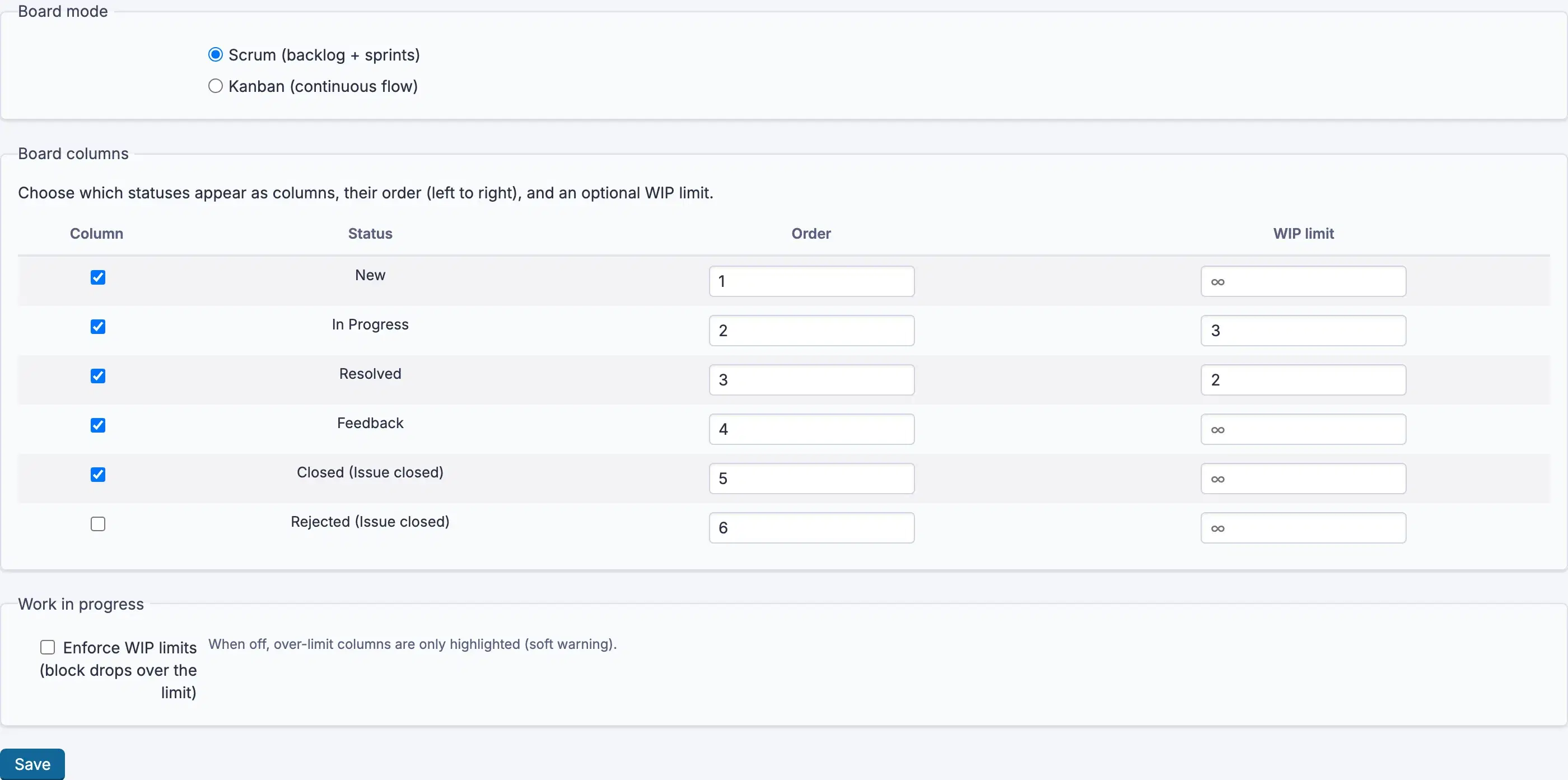
Nothing workspace-wide. Everything is per project, on Agile → Settings,
which needs Manage agile board (settings & sprints).
| Choice | Effect |
|---|---|
Board mode |
Kanban (continuous flow) or Scrum (backlog + sprints) |
Board columns |
Which statuses appear, in what Order, and each column's WIP limit |
Swimlanes |
Split rows by None, Assignee, Priority or Parent |
A WIP limit shows a count against the limit on the column so an overloaded
column is visible before anybody asks.
Switching mode keeps all data. Sprints are hidden in Kanban mode, not deleted.
Using it
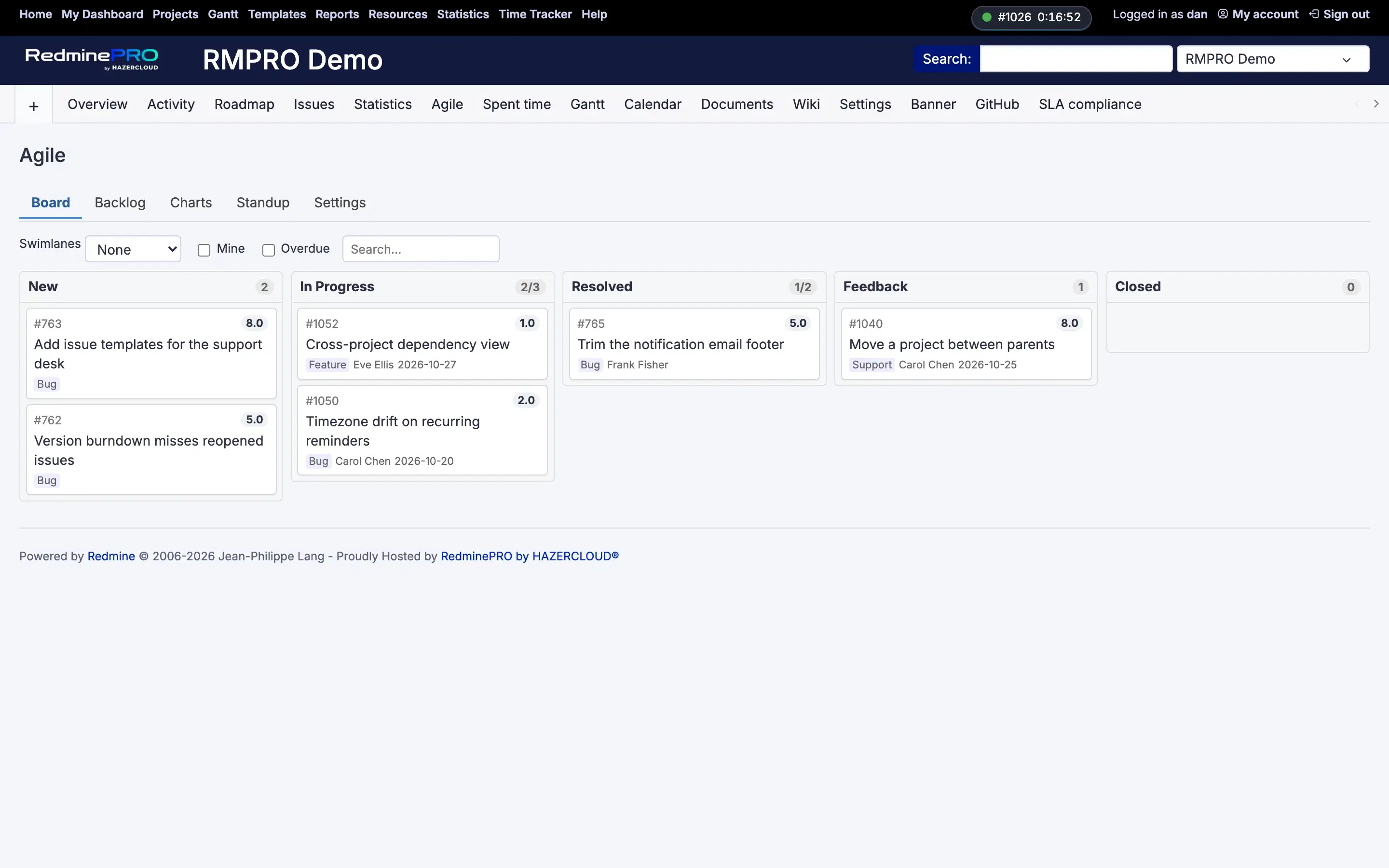
- Open
Agile→Board. - Drag a card between columns to change its status. A move the workflow forbids is refused, exactly as it would be on the issue form.
- Filter with
Mine,OverdueorSearch….Quick addcreates a card without leaving the board. ChartsholdsBurndown,Velocity,Work in progressandCumulative flow.
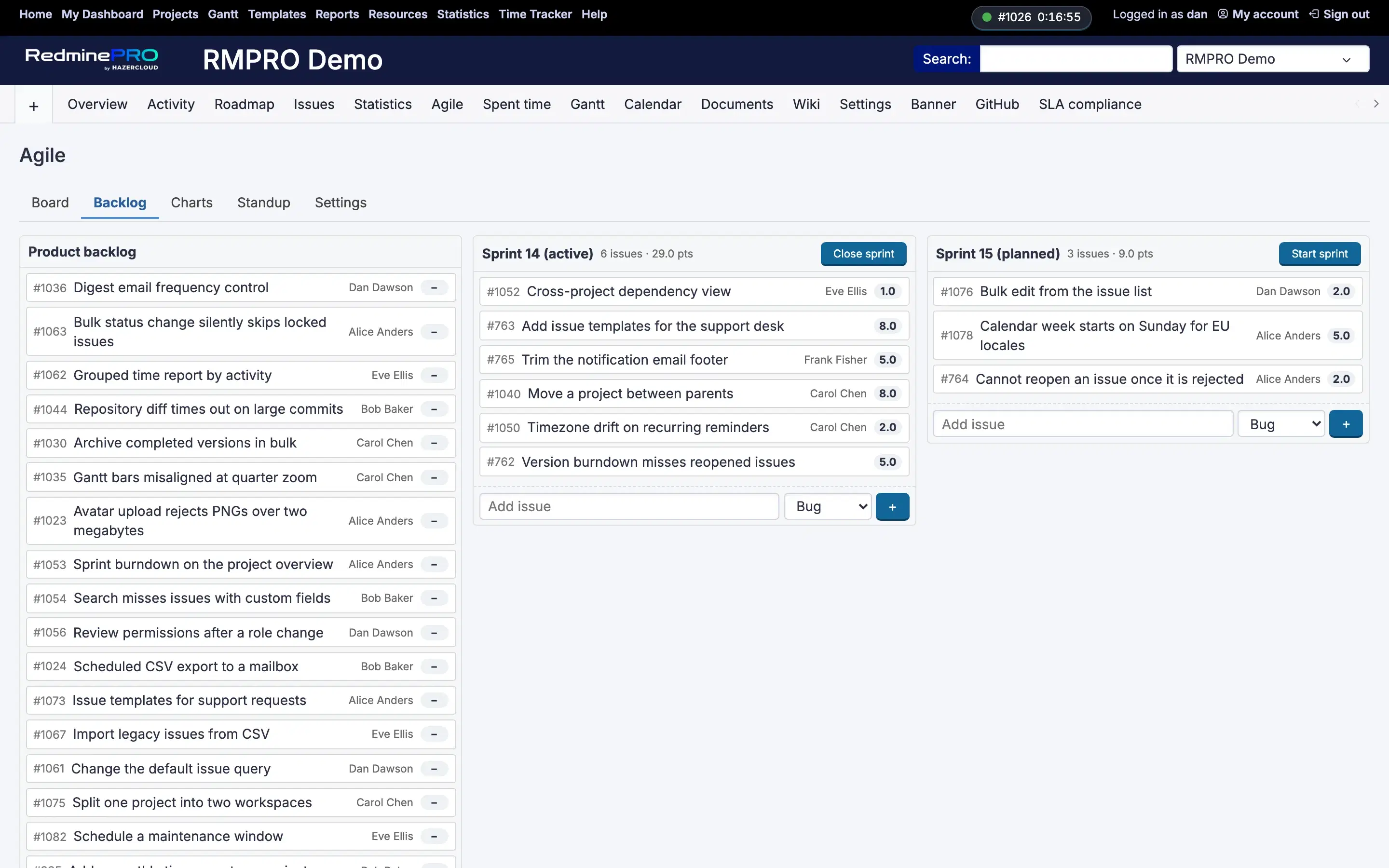
In Scrum (backlog + sprints) mode, Backlog holds the ranked list. Give a
sprint a Name and a Goal, pull items into it, and the board shows the active
sprint. Points on a card feed Velocity, so estimate in whatever unit your
team already uses.
Troubleshooting
No Agile in the project menu. The module is off for that project, or the
account lacks View agile board.
A card will not move. The workflow does not allow that transition for your role, or you may not edit that issue. The board never widens what the issue form allows.
A status is missing from the board. It is not in Board columns. Add it on
Agile → Settings.
Cards are missing. In Scrum mode the board shows the active sprint only.
Everything else is in Backlog. In Kanban mode it shows open issues plus
recently closed ones in the final column.
Velocity is empty. Nothing carries Points. Velocity is measured in
points, so an unestimated backlog produces no velocity.
A column shows a count in red. It is over its WIP limit. That is the limit
doing its job, not an error. It does not block the move.