

On this page
A record of the things the issue history cannot tell you: what was deleted, who was granted administration, who signed in and failed, and which two hundred issues changed in one bulk edit. Every event carries when, who, from which address, what it acted on, and, where a change has a before and after, the difference. It cannot be edited from anywhere in the product, and it never blocks the work it observes.
On RedminePRO Cloud
Availability
Plus and above. Your plan sets how far back the record is kept.
Turn it on
Nothing to turn on. Audit trail appears in Administration for administrators,
and in the top menu for anyone else holding the permission below.
Audit Trail appears as a heading on the role form but never as a project
setting: a record sliced per project would answer "who deleted this project?"
with silence.
Permissions
Administration → Roles and permissions, in the Audit Trail section:
| Permission | What it grants |
|---|---|
View audit trail |
Read the whole record and export it |
A global capability, holding it in any role in any project unlocks the log everywhere. Give it to whoever answers audit questions; it is read-only, and there is no permission that can write or erase an event.
Settings
Administration → Plugins → RedminePRO Audit Trail:
| Setting | Default | Effect |
|---|---|---|
Keep events for |
3 months | Events older than this are deleted automatically. Your plan sets the ceiling, and options above it are not offered |
Email an alert for |
Project deleted, administration granted, role permissions changed | Which events send mail the moment they happen |
Send alerts to |
Blank | Blank means every active administrator; otherwise the addresses you list |
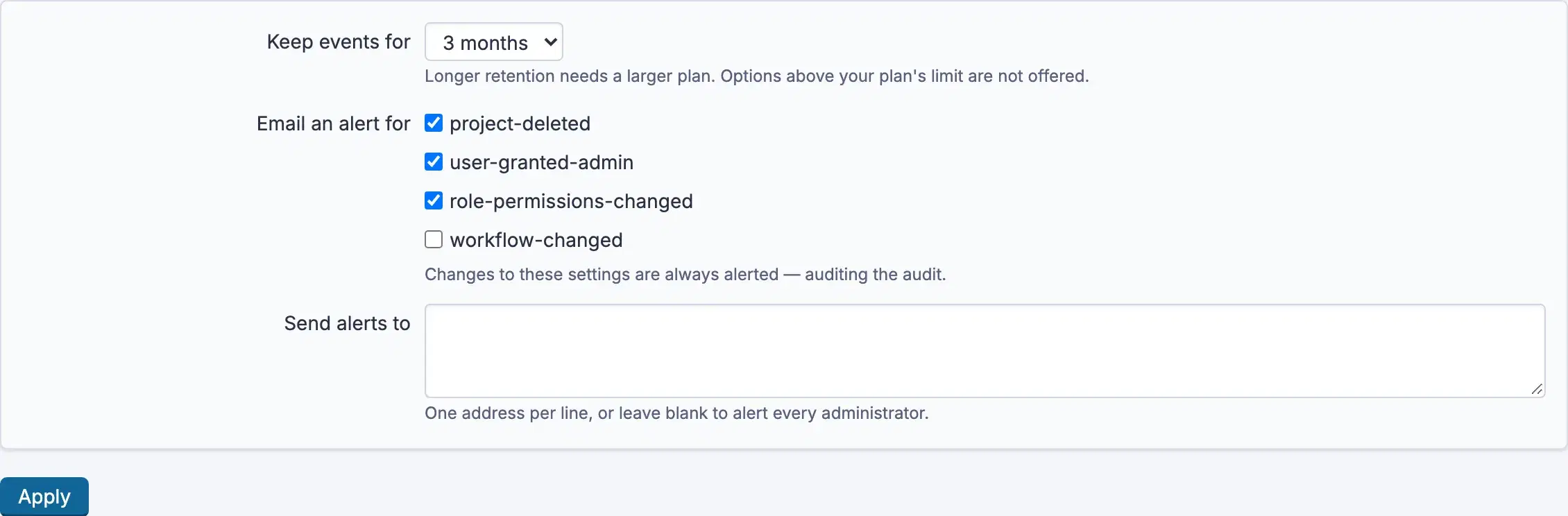
Changes to these settings always alert and that cannot be unticked. Turning the record off is a first move worth knowing about, and an alert somebody can quietly disable is not a control.
There is no scheduler. The purge runs lazily, at most once an hour, in batches, on the next write or the next time someone opens the page.
Using it
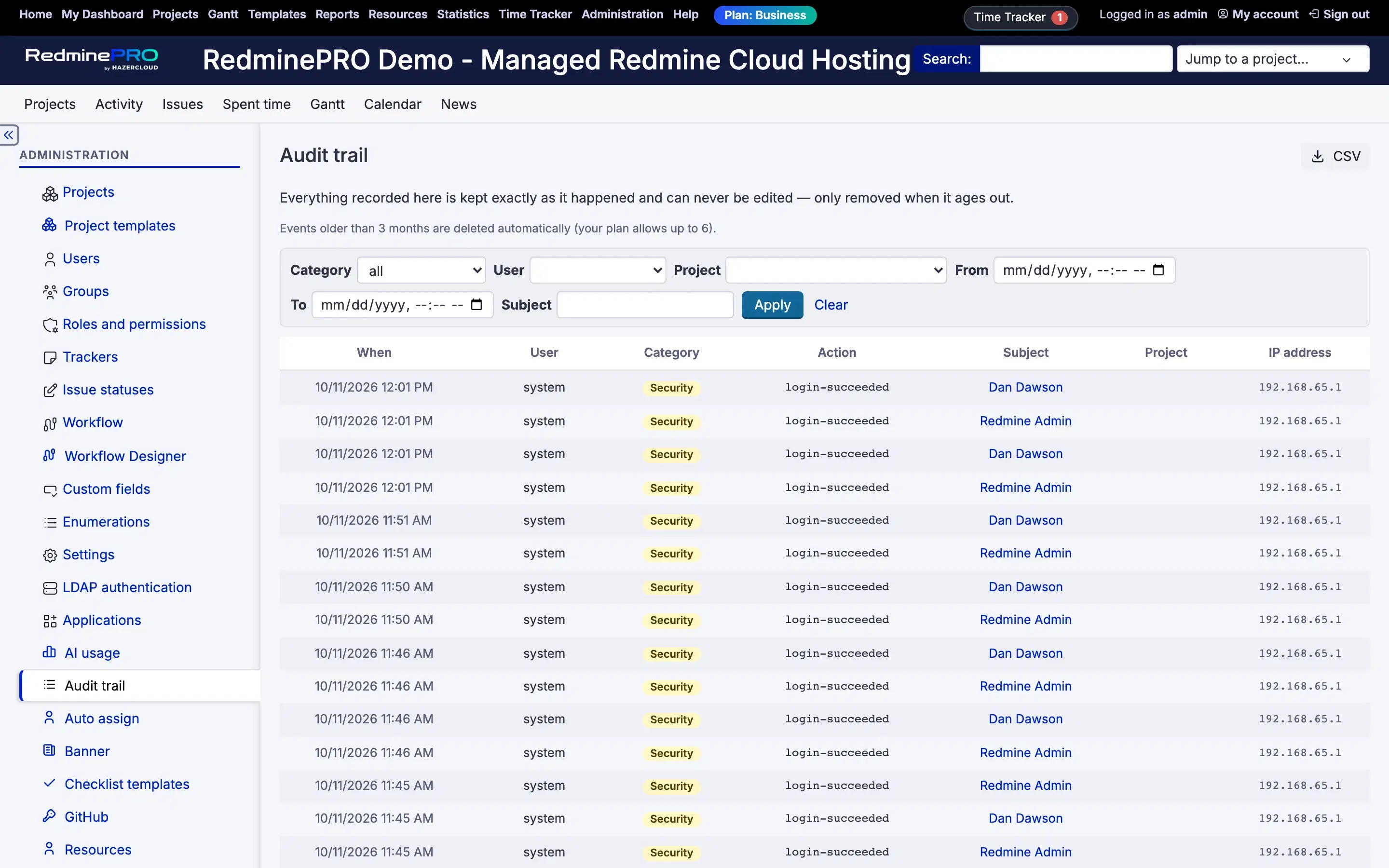
- Open
Audit trail. - Filter by
Category,Action,User,SubjectorWhen, thenApply.Clearresets. Detailson an event shows the before and after where there is one.CSVexports what the filter currently shows.
The four categories are Deletion, Administration, Security and
Bulk change. A bulk issue edit is one event carrying the identifiers and
the count, not one event per issue. Two hundred rows would drown the day it
happened in.
What is never recorded
- Passwords. Not hashed, not masked, absent. A password-change event has no value fields at all, and neither does a failed sign-in.
- Secrets in settings. A setting whose name looks like a credential has its value replaced in the difference. Matching is by name, because a token is just a string and no test reliably recognises one.
- API key values. A reset is recorded; the key is not.
This record is read by more people than the things it audits, that is its job, so a secret written here is a secret spread wider.
Troubleshooting
An event I expected is missing. Recording never aborts the action being recorded, which means a failed write is a missing event and the record itself cannot tell you. That evidence is in the Rails log, at error level, marked as a failure by this feature.
Ordinary issue edits are not here. By design. The issue history already holds those, and duplicating them would bury the events nothing else records.
Old events disappeared. Keep events for elapsed. Raise it, within your
plan's ceiling, and export regularly if you need a longer record.
Nobody received an alert. Check Email an alert for includes that action,
that Send alerts to is either blank or correct, and that the workspace can
send mail at all. Alerts are sent at the moment of the event, so a mail problem
is a lost alert rather than a delayed one.
The record cannot be corrected. Correct. There is no route that creates, updates or deletes an event, and the model refuses both. A record somebody can quietly amend is not evidence of anything.