

A Kanban or Scrum board over your issues, with sprints, work-in-progress limits, story points and flow charts.
Documented for version 1.0.2 · Verified against 932d12e
A board your team can actually stand in front of. Drag a card to change its
status, cap how much is in flight at once, and read Burndown, Velocity and
Cumulative flow from the same data rather than a separate spreadsheet. Each
project picks Kanban (continuous flow) or Scrum (backlog + sprints); the
cards are ordinary issues throughout, so nothing on the board is invisible to
the rest of the workspace.
Settings → Modules → tick Agile. An Agile entry appears in the project menu with Board, Backlog, Charts and Settings.Agile → Settings, which needs Manage agile board (settings & sprints).Agile → Board. Drag a card between columns to change its status.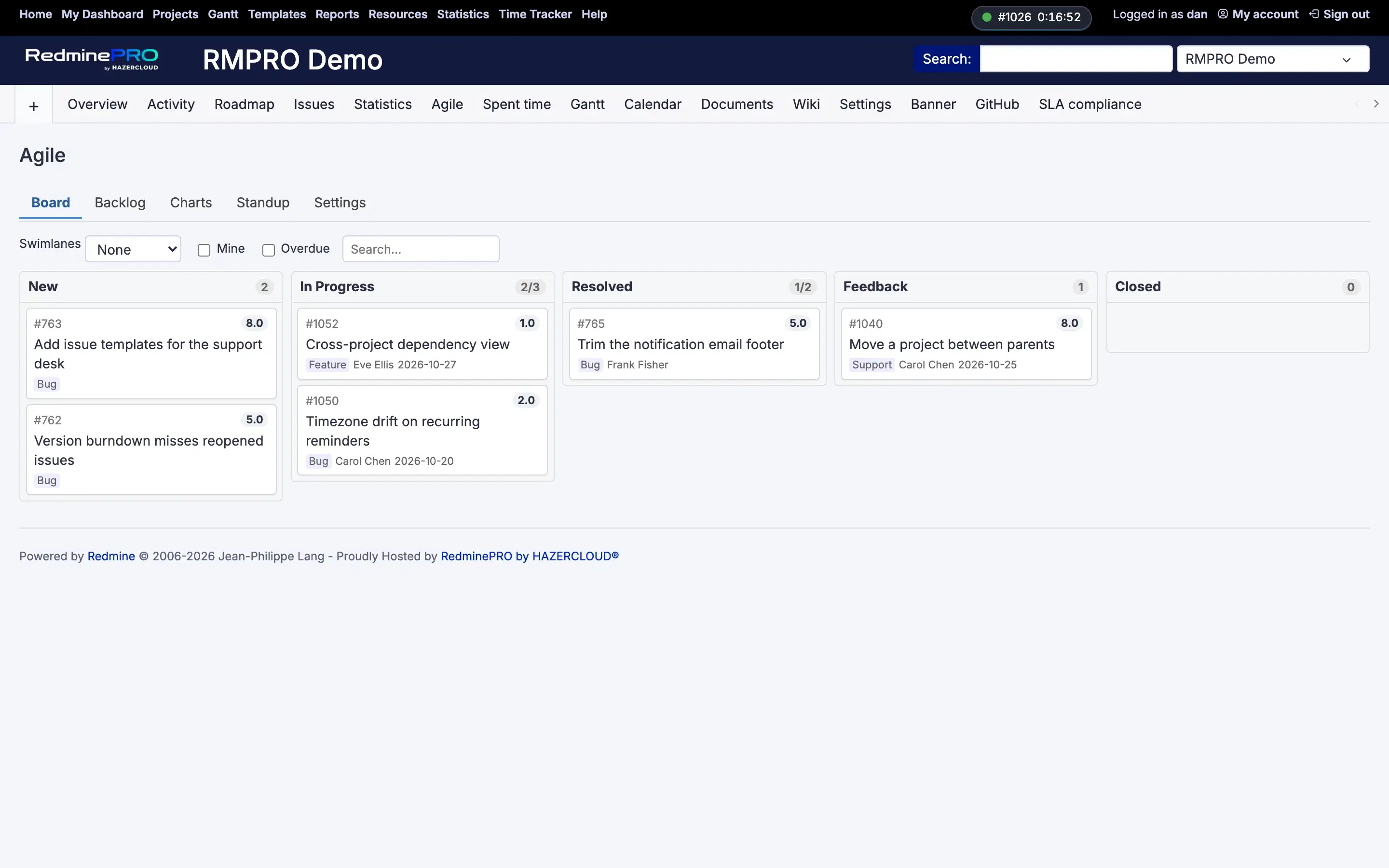
Settings, permissions, modules and how to use it on RedminePRO Cloud.
Requirements, install, update and remove, for a self-hosted Redmine 6.
The module is off for that project, or the account lacks View agile board.
The workflow does not allow that transition for your role, or you may not edit that issue. The board never widens what the issue form allows.
It is not in Board columns. Add it on Agile → Settings.