

Let people sign in with their Microsoft work account from your directory, with optional domain restriction.
Documented for version 1.0.1 · Verified against 932d12e
A Microsoft button on the sign-in page, tied to your own directory. People use the work account they already have, you stop managing passwords, and access ends when their directory account is disabled rather than when somebody remembers to lock them here. Only accounts in the directory you name can sign in.
Registering the application on Microsoft's side is covered in the Microsoft Entra integration guide.
Plugins → RedminePRO Microsoft Sign-In, then paste the Directory (tenant) ID, Application (client) ID and Client secret from your app registration.Test configuration confirms connectivity by fetching your directory's configuration and signing keys.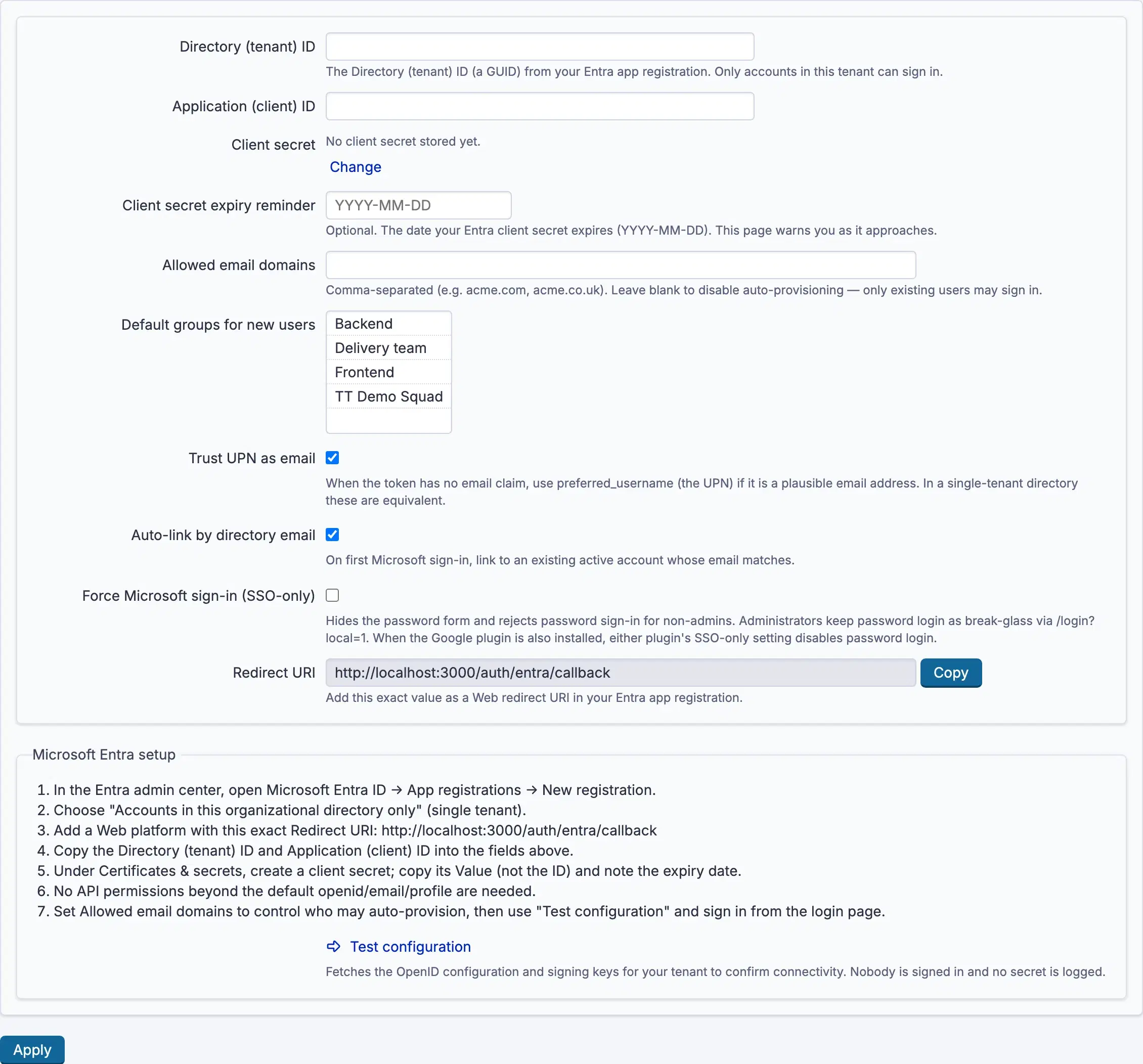
Settings, permissions, modules and how to use it on RedminePRO Cloud.
Includes connecting Microsoft Entra ID.
Requirements, install, update and remove, for a self-hosted Redmine 6.
The value in the registration differs from Redirect URI on the settings page, which shows the exact string to add. It must be registered as a web redirect, not another kind.
The Client secret has expired. Create a new one in the registration, paste it here, and set Client secret expiry reminder this time.
By design, only accounts in the directory named by Directory (tenant) ID may.