

Let people sign in with their Google account, with optional domain restriction and a password-free workspace.
Documented for version 1.0.2 · Verified against d9ca226
A Google button on the sign-in page. People use the account they already have, you stop managing passwords, and leavers lose access when their Google account is disabled rather than when somebody remembers to lock them here. New accounts can be created automatically for the email domains you name.
Creating the credentials on Google's side is covered in the Google Sign-In integration guide.
Plugins → RedminePRO Google Sign-In.Test configuration checks connectivity by fetching Google's configuration and signing keys.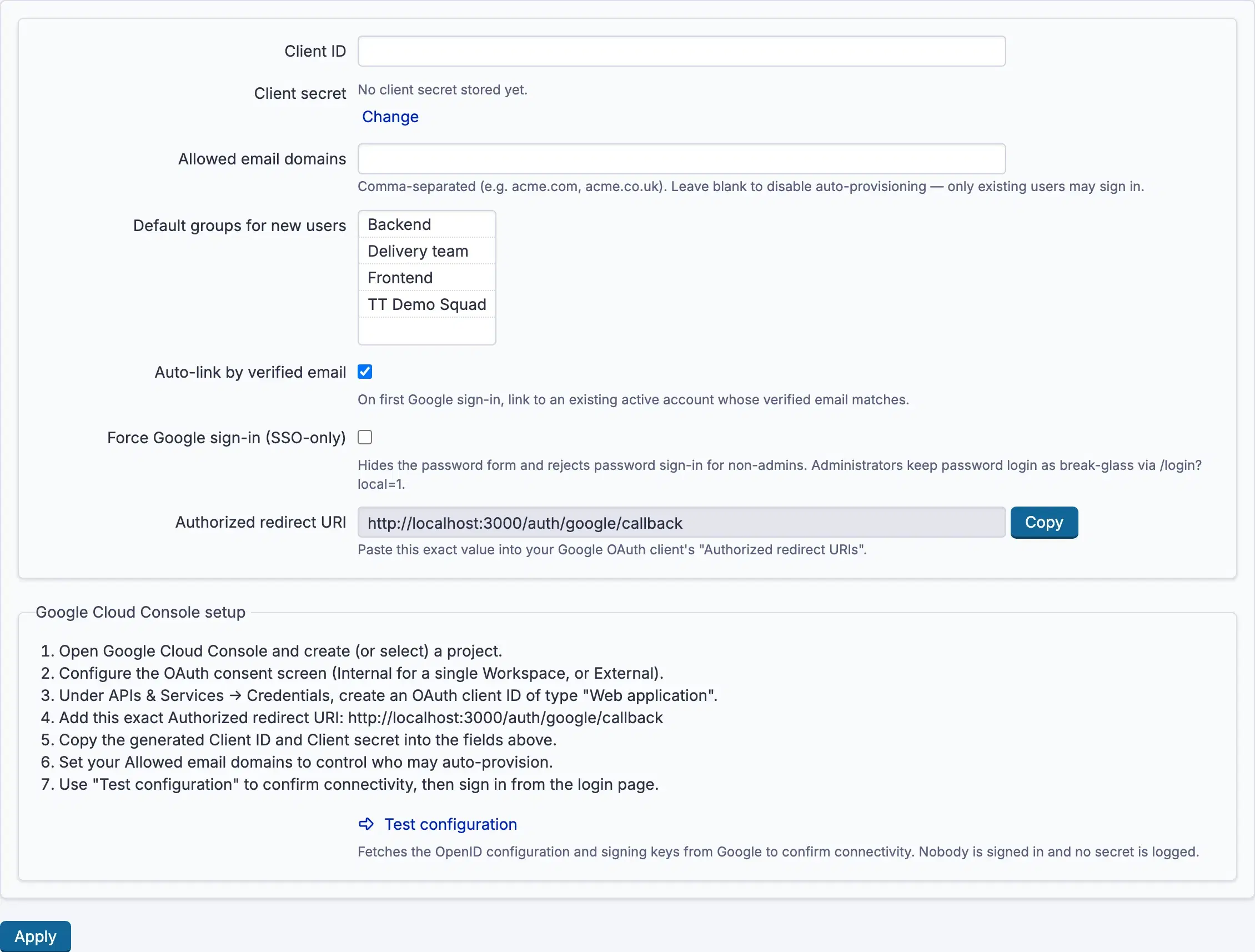
Settings, permissions, modules and how to use it on RedminePRO Cloud.
Includes connecting Google Cloud Console.
Requirements, install, update and remove, for a self-hosted Redmine 6.
The value in Google differs from Authorized redirect URI on the settings page, which shows the exact string to paste. A trailing slash or the wrong protocol is enough to break it.
Usually the app's audience is External, it is still in Testing, and the person signing in is not one of its test users. Add them under Audience → Test users in Google Auth Platform, or publish the app with Publish app on the same page.
Allowed email domains does not include their domain, and nothing is created automatically. Add the domain, or create the account first.