

Turn your workspace into an MCP server so Claude or any Model Context Protocol client can work on issues as a real person.
Documented for version 2.2.0 · Verified against c69693b
Point Claude Desktop, Claude Code, Cursor or any Model Context Protocol client at your workspace and it can search, read, create, update and comment on issues, as a real person, with that person's exact permissions. Every read goes through the same visibility rules the web interface uses and every write through the same workflow and field rules, with the owner of the API key as the actor. The feature adds one capability: whether you may connect a client at all. It never widens what is behind it.
Client setup is covered separately in connecting an MCP client.
Only these people, with nobody named.Who may connect.My account, with a Disconnect beside each.Spent time tab shows that person, because it asks the same question Redmine does.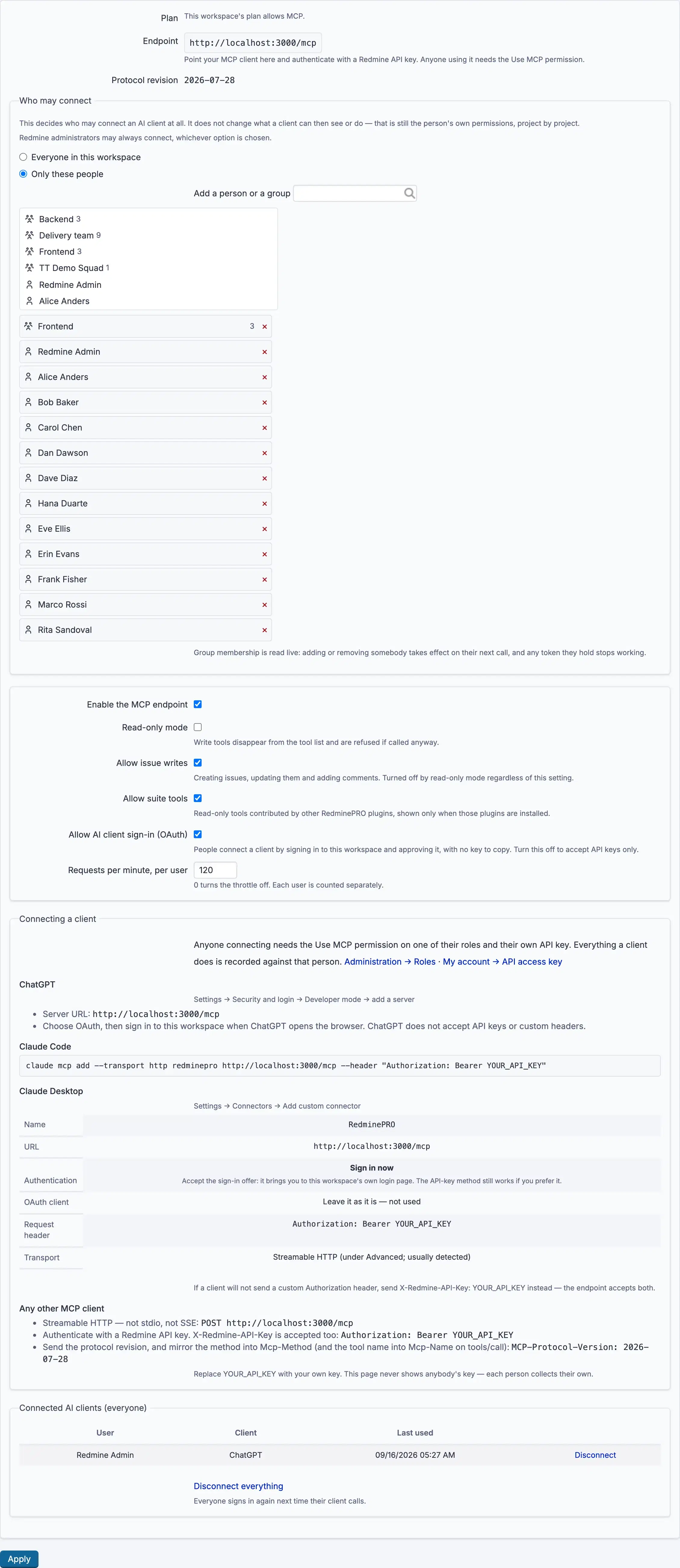
Settings, permissions, modules and how to use it on RedminePRO Cloud.
Includes connecting Model Context Protocol clients.
Requirements, install, update and remove, for a self-hosted Redmine 6.
The key is missing, wrong, or belongs to a locked account. Keys are per person; copying a colleague's is not a fix.
One of three things, and the message says which: the endpoint is switched off, the plan does not allow it, or the account is not named under Who may connect, and on a new workspace nobody is, until somebody is added.
Read-only mode is on, or Allow issue writes is off. Both also refuse the call directly.