

Sectioned checklists on every issue, with templates, per-item assignees and due dates, and optional workflow enforcement.
Documented for version 1.2.2 · Verified against ce1c6c2
A checklist on every issue, below the description: a progress bar, collapsible sections with their own counts, and items you can tick without opening the edit form. Items carry an optional assignee and due date, templates fill a checklist in one click or automatically by tracker, and every change lands in the issue history and the notification emails. Optionally, the checklist can drive the issue's percentage done or hold the issue open until everything is ticked.
Settings → Modules → tick Checklists. This is a real module.Tick/untick checklist items to the people doing the work and Edit checklists to whoever shapes the process.Plugins → RedminePRO Checklists. The first one needs Administration → Settings → Issue tracking → Calculate the issue done ratio with set to Use the issue field.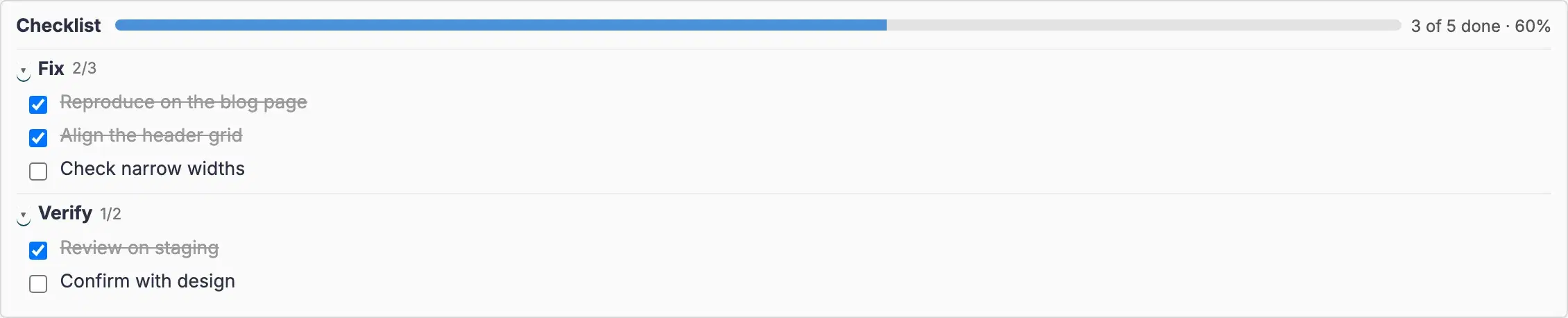
Settings, permissions, modules and how to use it on RedminePRO Cloud.
Requirements, install, update and remove, for a self-hosted Redmine 6.
The module is off for that project. Project → Settings → Modules → Checklists.
Expected when Sync issue % Done from checklist is on: the field is calculated and read-only. Turn it off for the project, or untick the setting.
Administration → Settings → Issue tracking → Calculate the issue done ratio with is not Use the issue field.