

Show a scheduled notice across the workspace or on one project, styled by severity and optionally dismissible.
Documented for version 1.2.2 · Verified against 932d12e
A notice at the top of the page: planned maintenance on Saturday, a release
going out, a process changing on Monday. One Global banner for the whole
workspace, plus a Project banner per project for things only that team needs
to read. Each has a severity style, a schedule, and a choice about whether
people may dismiss it.
Banner and needs no module. For a per-project notice: Project → Settings → Modules → tick Banner.Global banner is administrators only. It is seen by everybody, so it is not a per-project right.Banner, or a project's Banner page. Write the Message and pick a Style: Info, Warning, Critical or Maintenance.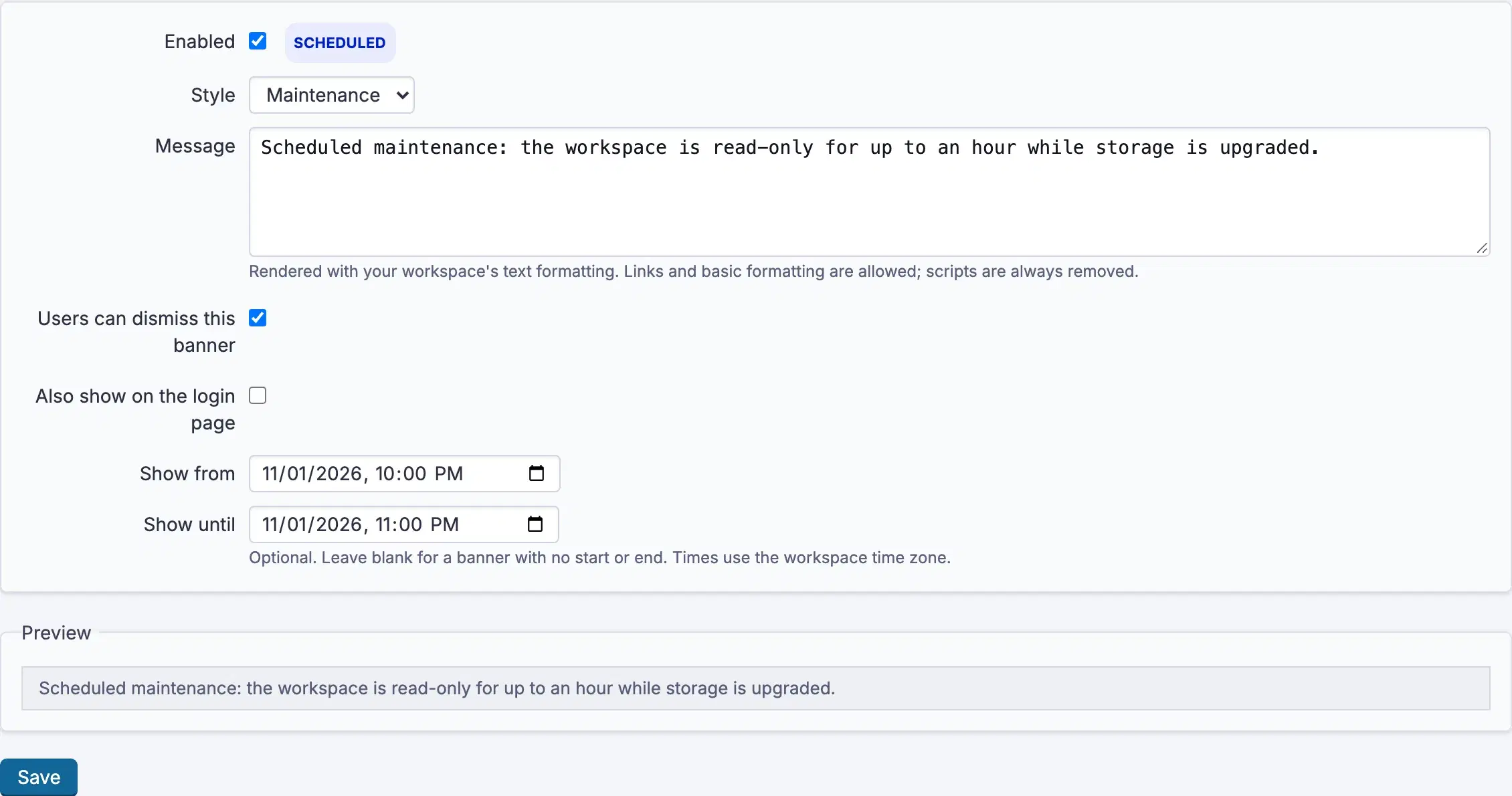
Settings, permissions, modules and how to use it on RedminePRO Cloud.
Requirements, install, update and remove, for a self-hosted Redmine 6.
Check the status. Off means Enabled is unticked; Scheduled means Show from has not arrived; Expired means Show until has passed.
Display on controls that for a project banner. Overview page only is the default and the quietest choice.
They dismissed it. A dismissal is per person and permanent for that banner, which is why Users can dismiss this banner should be off for anything people must keep seeing.